How to Configure and Use the DERP Emulator for PicoSystem on Linux
(tested on Ubuntu/Debian) using the DERP RP2040/PicoSystem emulator made by Daft-Freak.
Goal
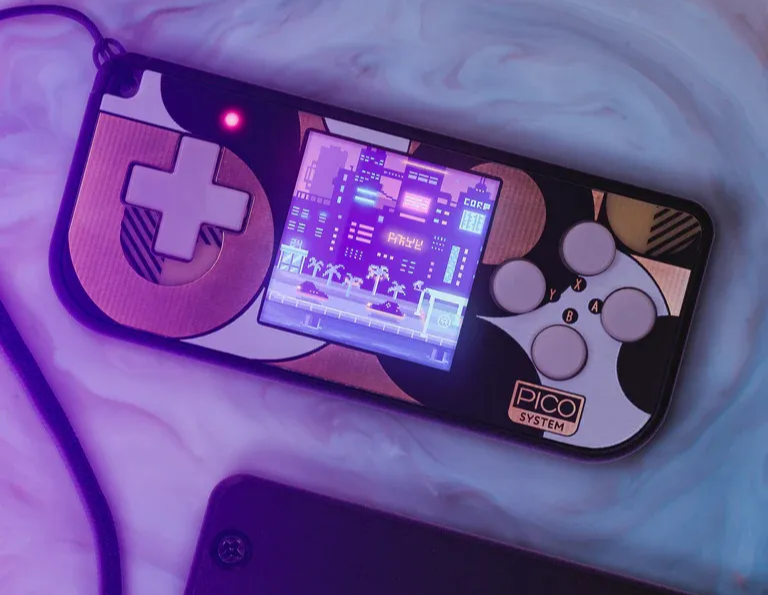
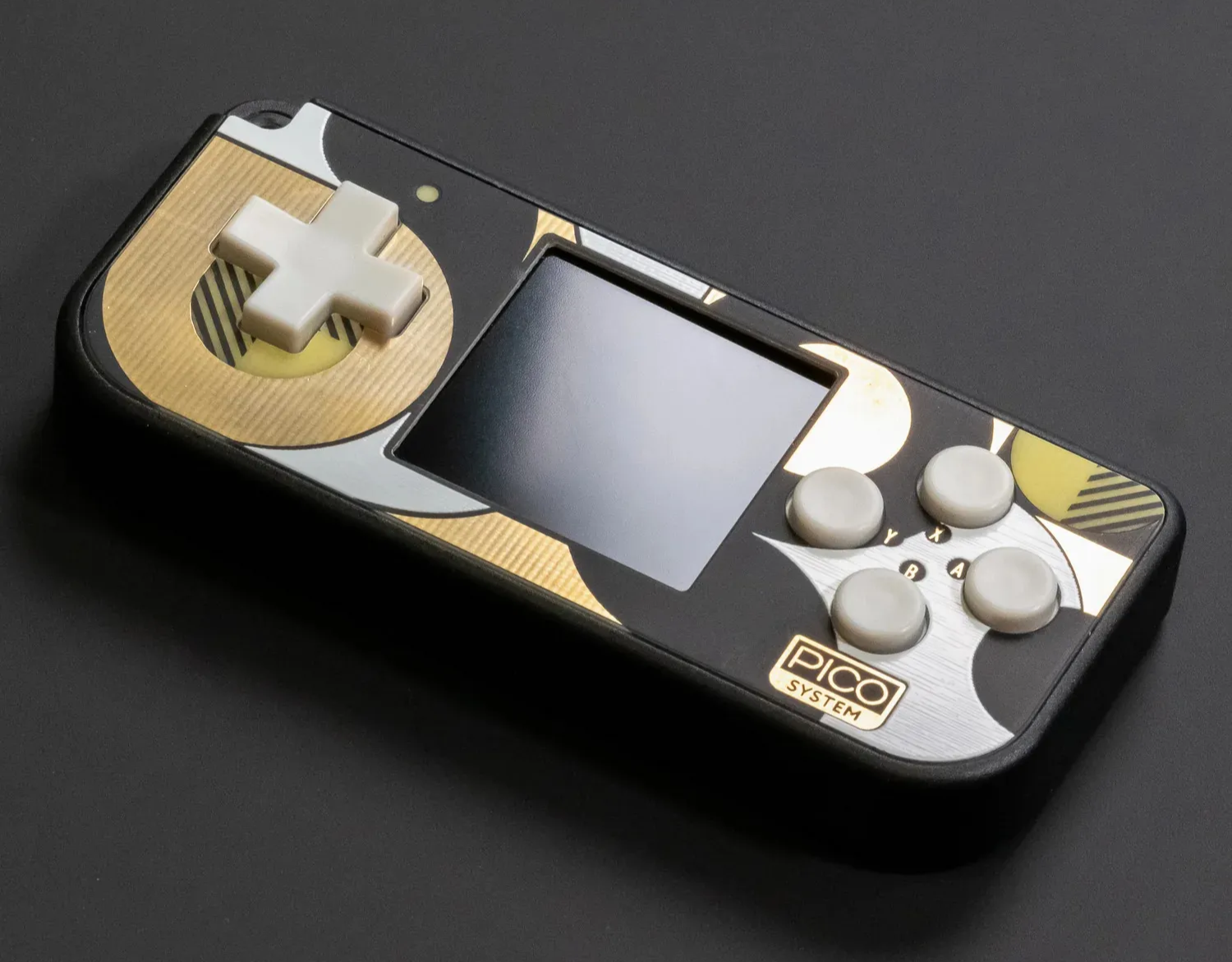
The goal is to create an environment to try and test different retro games built for the PicoSystem (a retro console, based on the 2021 Raspberry Pi Pico's RP2040 chip), as a start of the development process to create a game from scratch.
For this you will download, organize and compile the emulator for the ultimate goals, that are:
- Run PicoSystem games on Linux at an acceptable framerate.
- Accurately simulate PicoSystem’s hardware (display, buttons, sound, logic).
- Ensure a stable experience without crashes.
Motivation
What I want to do
For some months I've been trying to find a more accessible way to have an open-source, hackable, portable retro-game console for myself, but there aren't many easily-accessible options for enthusiasts that don't know much about all of that what involves a console.
One solution would be to build one myself. Since some of my projects involve a Raspberry Pi 4, I became aware of others Raspberry products, such as the Raspberry Pi Pico, which would be a great option to build a console. The problem arises from the fact that it's not easy to build a game console. It requires part-picking (screen, battery, chip, buttons), assembly (I'm not used to soldering), 3D-printing for the case (along with a 3D printer), circuitry, much trial and error, and more.
Either I build a console, or a game for a console. Since I'm a more experienced programmer, I chose the latter. It's difficult to choose both because they require a lot of time and resources. Having a pre-built or mainstream console actually is cheaper than building one along with having the necessary tools.
What's out there
It's just very recently that I've discovered what's out there in the market of retro consoles.
There's the Picosystem made by Pimoroni. The one I chose to have due to its pretty colors, hackability to play around, its build quality is impressive with the thoughtful layout, vibrant screen and aluminum body and its portability, because it's small means I can carry it on my travels and endure pass the time with its LiPo battery that can last 6 hours and can be charged by USB-C.
Another good alternative would be the Arduboy, with the size of a credit card with an incredible number of games played on a black-and-white screen. It's also open-source.
DERP
DERP is a very hacky PicoSystem emulator made by Daft-Freak to run uf2s games like they would run on a PicoSystem. It's made with C++ and uses the Pico-sdk as a dependency to work.
DERP is experimental. Performance may vary, and not all games work perfectly.
DERP is a community project. Report issues on GitHub.
Setup
At the end (Troubleshoot) you'll have a handful of useful commands in case you need to restart from scratch with a clean directory and remove the unwanted built files or directories that are not apart of the DERP repository.
Prerequisites
You will need a machine running Linux Ubuntu/Debian-based. You can use any other, but you would need to search for compatible commands.
I recommend first updating
shellsudo apt update
You will need to install these tools and libraries:
shellsudo apt install build-essential cmake
shellsudo apt install libsdl2-dev
There's also the utilities to convert the bootrom later:
shellsudo apt install binutils-arm-none-eabi
Clone the DERP Repository
Use git to clone and download the repository files.
shellgit clone --recursive https://github.com/Daft-Freak/DERP.git
Note that
--recursive is used to also download the submodules used on this repository. The submodules are from Pico SDK that provides the libraries and build system used by programs for the RP2040 devices, suchs as the DERP software.
In Pico SDK you'll also find some help on the README file description like- Installing CMake and GCC cross compiler, if you haven't them:
bashsudo apt install cmake gcc-arm-none-eabi libnewlib-arm-none-eabi libstdc++-arm-none-eabi-newlib
The
--recursive flag ensures the Pico SDK submodule is cloned.If you skipped this step, run:
shellgit submodule update --init --recursive
Then you're free to go to the DERP directory:
bashcd DERP
Build the Bootrom.bin
The emulator needs two things to run:
- The bootrom (not included in the repository because it's proprietary)
- A game Focusing first in the bootrom, we'll have to download the ELF file. You can download the ELF file from different ways:
Installing the ELF file
- Go to Pico Bootrom rp2040 Releases list by Raspberry Pi and install the latest version (B2, 2022).
- Or by downloading through the terminal.
shellwget https://github.com/raspberrypi/pico-bootrom/raw/master/bin/b2.elf
Then make sure to move the
b2.elf file onto /build/minsdl.Converting the Bootrom
Be sure that you've installed
binutils-arm-none-eabi, you will use it now to create the binary file of the Bootrom.Go to the
minsdl directoryshellcd minsdl
And use the command to build the binary file bootrom.
shellarm-none-eabi-objcopy -O binary b2.elf bootrom.bin
Build DERP
Now you have to compile the emulator to have an executable. Create a new folder
/build to save the files to it.shellmkdir build cd build cmake -DCMAKE_BUILD_TYPE=Release .. make -j$(nproc)
Note that it's compiling in Release mode. This is because in the default setting
cmake builds a likely unoptimized (debug mode) version. So by defining it as a Release build it enables compiler optimizations. You're not forced to use the Release mode, and you are free to experiment with the default mode to better understand what's going on. You can always go back and retry.Also pay attention that the
make command executes the Makefile file located on the current build directory. In the Makefile you can access some environment variables and can see some target rules/commands that you can use to your liking and better customize your project.Also, the
make command has another embedded command: nproc.
nproc returns the number of CPU cores that you processor has. It will serve as to use all CPU cores when running.
It would also work with specifying the number of cores. In case you want to save some resources or just want to use less cores you can do make -j16 or replace 16 with another number.Now you've successfully installed and compiled the DERP emulator. Congratulations!
The executable file
DERP_SDL will be installed on the folder build/minsdl. You can check if it's there. If not, I might have to recommend for you to retry from the start in case you missed an important step.We will now move onto downloading games and additional configurations to improve the experience.
Try a Game
Downloading the Game
To try and play a game, you'll need the game first. It will probably work as long as it is of the format
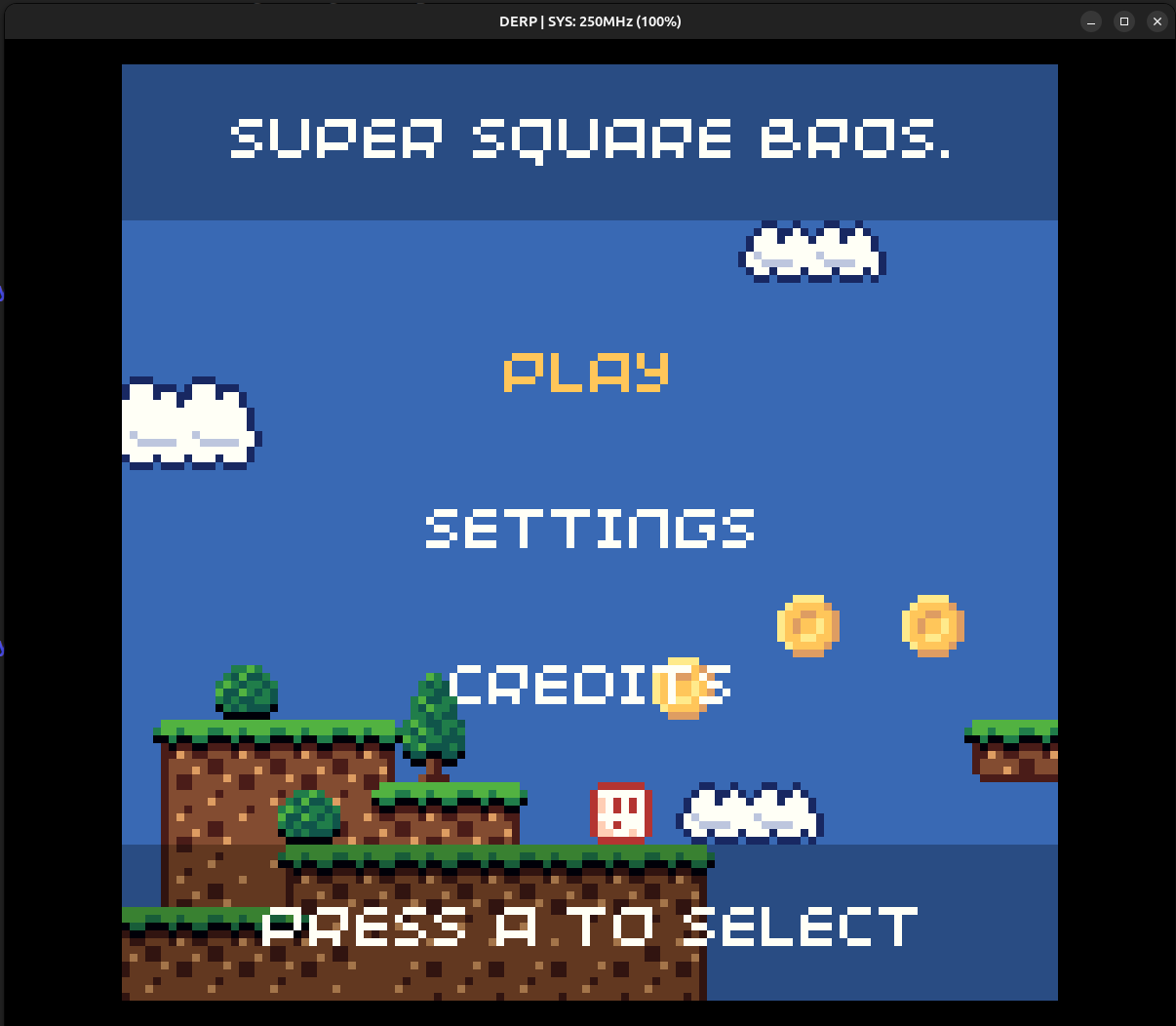
.uf2.You can download some games at Pimoroni's PicoSystem store page. There on the description you will find the Games list. I'll play the Super Square Bros. game.
If you would like, there's also more games at itch.io tagged with picosystem.
Moving to the Directory
Then you can move the installed
.uf2 game onto DERP/build/minsdl where the executable DERP_SDL is located.To check if the emulator recognizes the game
shell./DERP_SDL Super-Square-Bros.uf2
Of course you might have to check if it's the correct game that you want to run. If it isn't, you need to replace to the correct name of the file.
Then the program will write detailed information about the game, like this:
plain text[info]   [main]   binary_info:
[info]   [main]      program_build_date: Oct 4 2021
[info]   [main]      program_name: Super Square Bros.
[info]   [main]      pico_board: pimoroni_picosystem
[info]   [main]      sdk_version: 1.2.0
[info]   [main]      program_version: v0.9.14
[info]   [main]      program_description: It's a platformer.
...
This would be the game's binary info parsed. It means it's all working.
Playing the Game
Finally you can play the game.
shell./DERP_SDL --board pimoroni_picosystem Super-Square-Bros.uf2
Although,
shell./DERP_SDL Super-Square-Bros.uf2
also works.
If you want to change the scale of the game screen, you can use the parameter
--scale 1 and change depending on your preferred size. An example with this parameter would be:shell./DERP_SDL --board pimoroni_picosystem --scale 1 GAME.uf2
A scale of 1, renders the game at a native resolution of 240x240.
The default scale is 5.
Controls
To play the game, you will use the arrow keys ←,↑,→,↓ and the keys Z and X.
Different Boards
Using the parameter
--board when executing DERP_SDL means you can specify using a different board when emulating the game.String | Board | Details |
pico | Pico | No extra peripherals, so no output |
pimoroni_interstate75 | Pimoroni's Interstate 75 | Emulates a single 32x32 panel |
pimoroni_picosystem | Pimoroni's PicoSystem | The PicoSystem |
pimoroni_tufty2040 | Pimoroni's Tufty 2040 | Similar display hacks to PicoSystem |
Optimizations/Extras
You can use OpenGL for faster rendering with the command
shellSDL_RENDER_DRIVER=opengl ./DERP_SDL --board pimoroni_picosystem --scale 5 GAME.uf2
DERP_SDL uses more parameter when executing. You already know --board or --scale, but there are more. Although you might not need them at the moment.Parameter | Usage |
--scale int | Set resolution scale. |
--picosystem-sdk | Unused. Falls back on using the pimoroni_picosystem board. (kept for redundancy) |
--board string | Set the emulator's board. |
--usb | Enables USB support to a recognized interface. Prints the output there. |
--usbip | Alternative that enables a USBIP server. |
--log arg | Logging. |
--gdb | Enables a GDB server on port 3333 for remote connection. |
--iolog path | Opens Log file. |
More information about the GDB or USB support are detailed on the DERP's README. |
Troubleshoot
Error | Fix |
pico-sdk is missing | Run git submodule update --init --recursive |
bootrom.bin not found | Make sure it's in the same directory as the executable DERP_SDL |
Build failure | Rebuild with cmake -DPICO_SDK_PATH=../pico-sdk .. |
Reset the Project
Please also note that when applying these commands and resetting the project, you might also lose the
bootrom.bin, b2.elf and other compiled files.shell# Revert all changes and reinitialize git reset --hard HEAD git clean -fd git submodule deinit --all -f git submodule update --init --recursive
Cleanup
If you're only playing games on DERP, then you can uninstall
binutils-arm-none-eabi after generating bootrom.bin.
You can use the commandshellsudo apt remove binutils-arm-none-eabi
If you're developing games: Keep the tool installed, as you will use it to compile games for the PicoSystem.
Conclusion
Now you have what you need to start playing around with games and an emulator to experience the PicoSystem.
I hope you had a pleasant experience setting up the emulator and wish you good luck in the future and for your projects.
Future Implementations
I think this was enough to scrape the minimum to know about this project to have things running, but there's so much more that I would like to learn, but so little time.
And so I will share a list of things to implement and research in the future to make this experience more appealing, more mainstream and more pleasant.
Have better optimization settings.
Analise the emulator's resources consumption and if it's problematic to run on a laptop with a small battery.
Create automation scripts to build, customize the setup and add games.
Listing parameters from commands and what they do.
Explain what is GDB server.
I would like to note that I'm not related to the DERP Emulator. I didn't help develop it. I'm just a minor enthusiast who wants to learn more about the PicoSystem while I'm waiting for its delivery excitedly and eagerly. I had some trouble at the first try and needed to go back some times, until I found out I spent hours on the command line trying to play a game.
So that's why I did this guide, for you: The niche minority of people who wants to try the PicoSystem years after its launch. Not only that, but because the PicoSystem is somewhat rare and hard to get. I'm sorry if you're the unlucky fellow that wanted a PicoSystem from Melopero Electronics store, but the last 2 were sold out, (one of them is now mine :} ).
Final Goodbye
Thank you so much for reading my guide and I hope we can build things together. We have so much to do in so little time.
In case you want to contact me there's my email leonellmts@gmail.com
You can find me on Github, LinkedIn, Reddit (u/R4F3IR0).
Goodbye, from your Portuguese college-student friend,
Leonel
15/04/2025